
Print Server Software for Print Queue Management | NedGraphic

Achieve Color Consistency Across Devices and Automate The Printing Process

Print Server Software for Print Queue Management

Achieve reliable color consistency across devices while automating and simplifying print operations at scale.

NedGraphics Print Server is a centralized print management software designed to control print job queues, standardize color output, and eliminate manual handling across multiple printers and workstations. By combining calibration-driven accuracy with intelligent queue management, Print Server helps teams reduce waste, improve efficiency, and maintain predictable print results across locations.

Ideal for environments managing high print volumes, multiple devices, or distributed teams, Print Server brings structure and control to complex print workflows without adding operational overhead.

How does Print Server work?

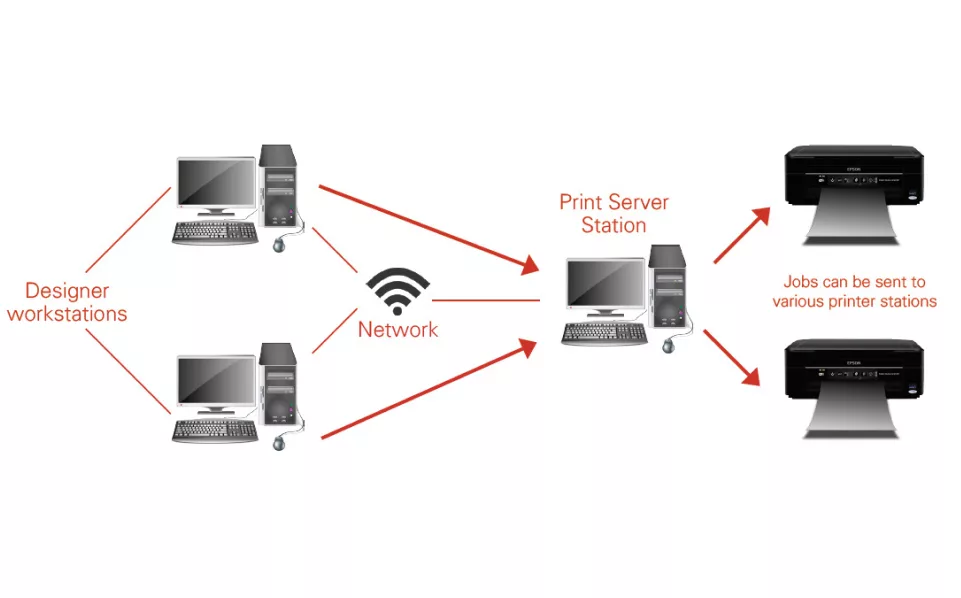
Print Server operates from a single, centralized server running NedGraphics Calibration to ensure consistent color output across all connected printers and workstations. Once configured, the system manages all incoming print jobs through a unified print queue management software layer.

Print jobs submitted from multiple workstations are automatically routed, prioritized, and processed based on predefined rules. Users can reassign, pause, or reorder print job queues in real time, ensuring optimal printer utilization and uninterrupted production. This centralized approach removes manual intervention while maintaining precise control over every print output.

Print Server Key Features

Print Server Sample Workflow centralizes print jobs from multiple workstations into a single controlled queue for consistent, efficient output across printers.
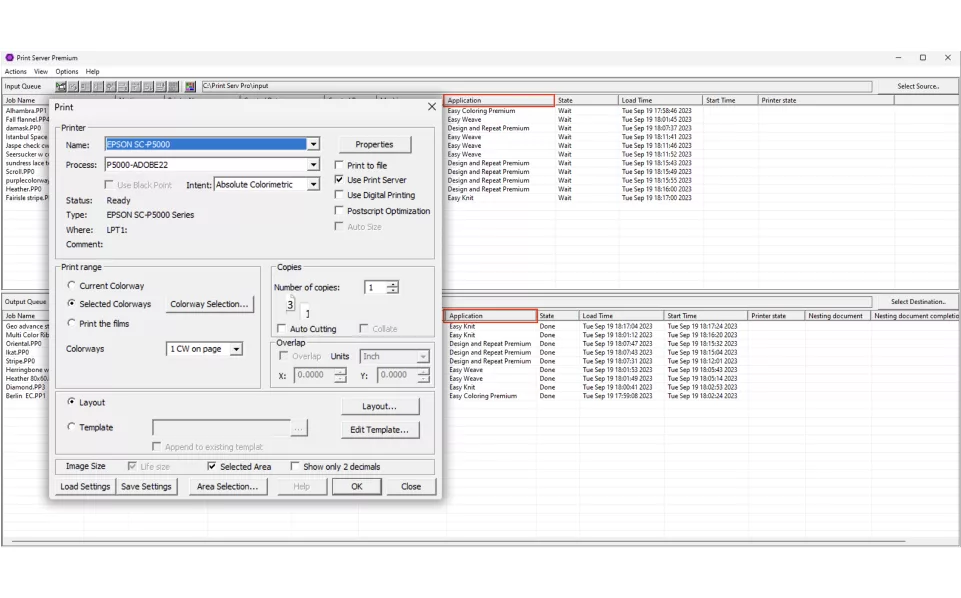
Use Print Server Checkbox routes print jobs through Print Server with one selection, automatically applying standardized settings and calibration profiles.
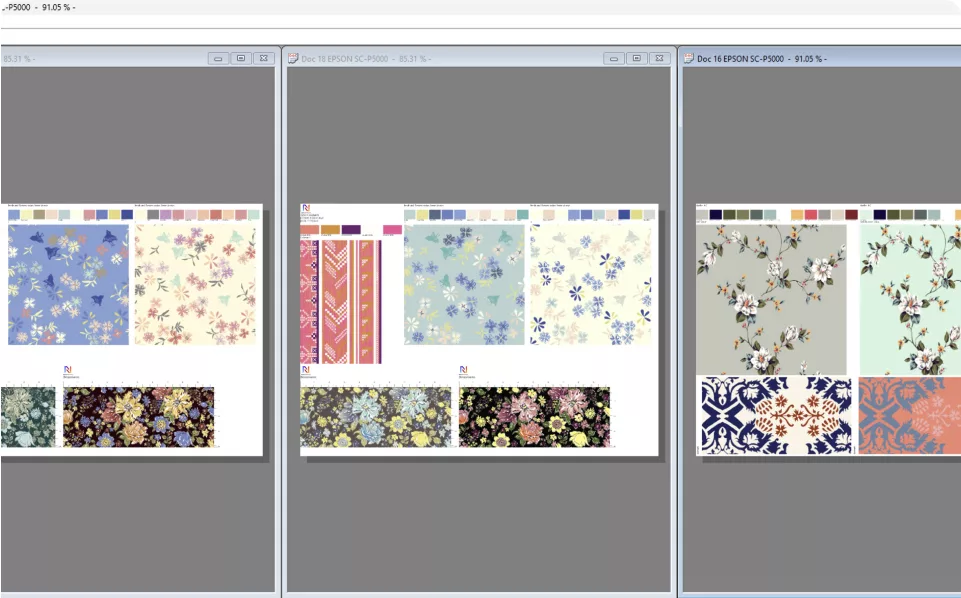
Autoprint automatically triggers printing based on predefined rules such as paper utilization or layout readiness.
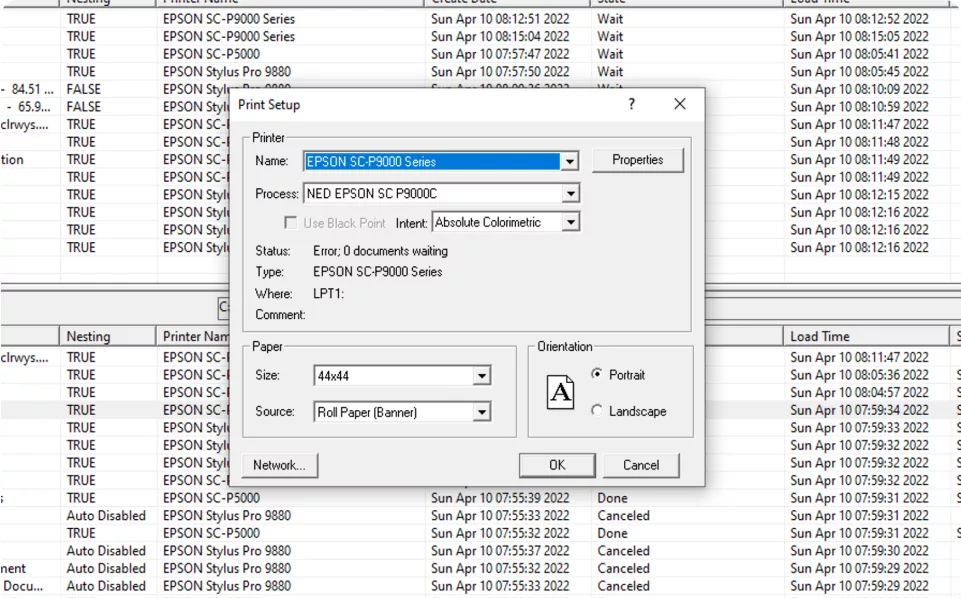
Control Print Settings from Options Print Setup enables centralized definition and enforcement of print settings across all printers and workstations.

Print Server Features

  • Integrated color consistency printing software using NedGraphics Calibration
  • Automated nesting with intelligent rotation to optimize paper usage on large-format printers
  • Real-time monitoring of print job queues, printer status, ink levels, and file formats
  • Seamless handling of simultaneous print jobs across distributed locations

Advantages of using Print Server

  • Monitor paper utilization percentages to actively reduce material waste
  • Track printer activity across multiple stations, including job timing, queue status, ink levels, and file formats
  • Optimize large-format roll printing with automated nesting and rotation
  • Maintain consistent color output across printers, workstations, and locations
  • Automatically apply page layouts to print jobs based on user-defined utilization thresholds
  • Manage and reprioritize print job queues software-wide, enabling fast reprints and uninterrupted production

Schedule a Print Server Demo

See how NedGraphics Print Server software can streamline your print queue management, improve color consistency, and reduce waste across your print operations.

Request a demo today to explore how centralized print management software can bring efficiency, accuracy, and control to your production workflow.

Sign Up

Training & Support Inquiries